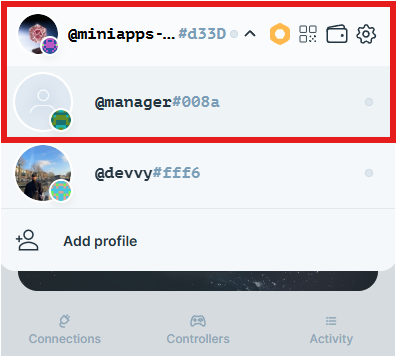
Backup and Restore
The Backup and Restore feature of the Universal Profiles Browser Extension allows users to export all of their UPs to a backup file (optionally protected by password) so they can be restored later.
Other safe options to restore your Universal Profile:
- Adding an email or 2FA recovery feature via my.universalprofile.cloud
- Setting another wallet as a recovery controller, known as third-party wallet recovery
- Saving the main controller private key from the Browser Extension settings (Advanced Feature)
Accessing Backup and Restore
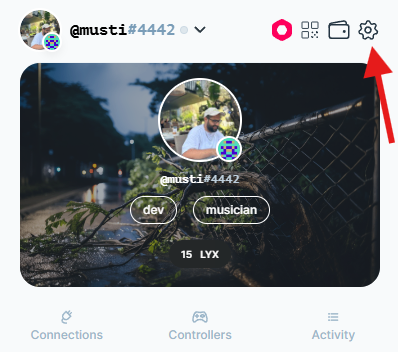
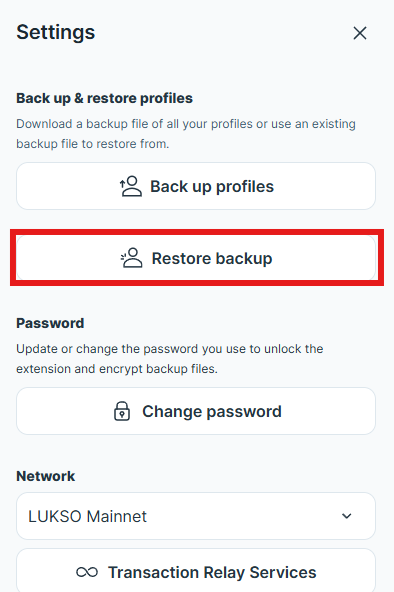
Navigate to the extension settings and locate the Backup and Restore section.
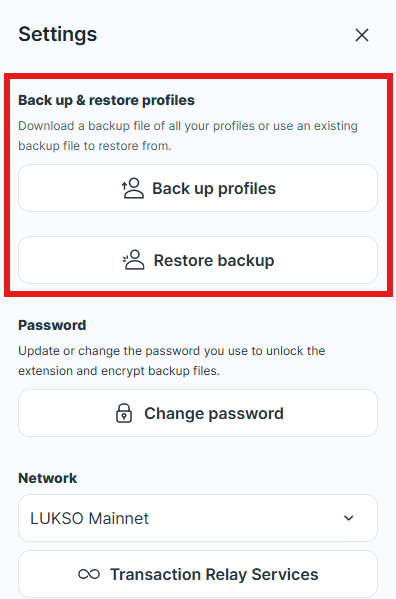
Backup Profiles
This feature lets you back up all Universal Profiles (UPs) currently loaded in your browser extension, for both LUKSO Mainnet and Testnet.
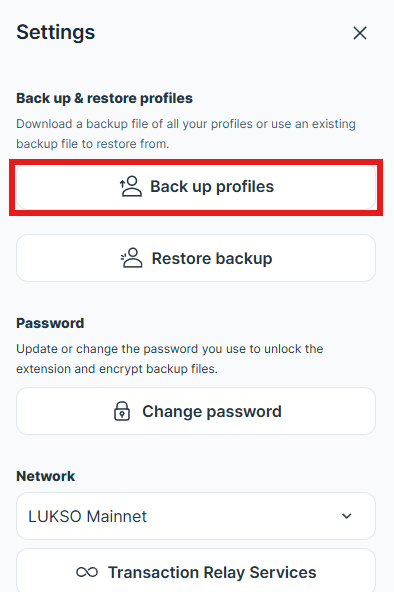
When backing up your Universal Profiles, you have two options:
- Backup with password protection: This option encrypts your main controller private keys in the backup file, adding an extra security for your UPs.
- Backup without password protection: This option is less secure, as your main controller private keys are exposed in the file since they are not encrypted.
a. Backup with Protection (Recommended)
Choose to back up with password protection for enhanced security.
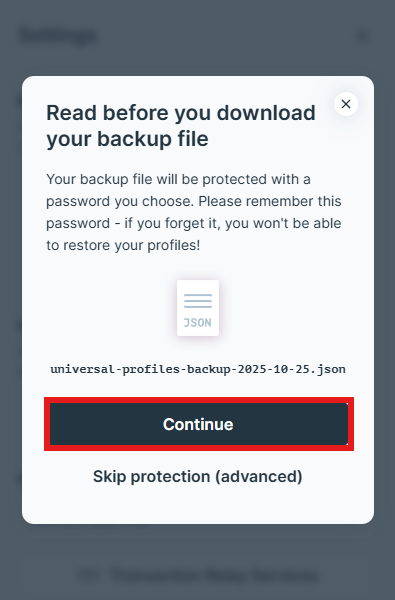
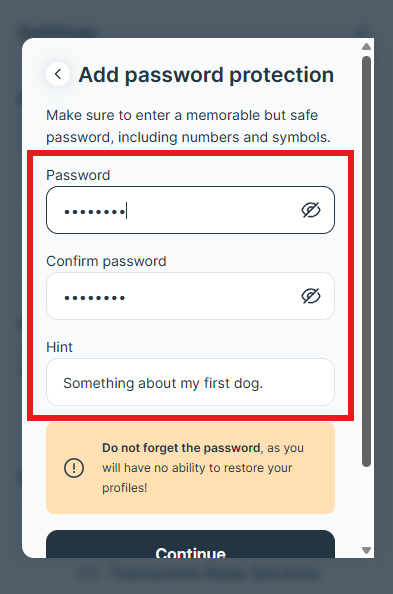
Enter a strong password and a hint to help you remember this password.
Make sure to add a useful hint for yourself to remember your password. It is not possible to restore your UPs if you have added a password and forgot it.
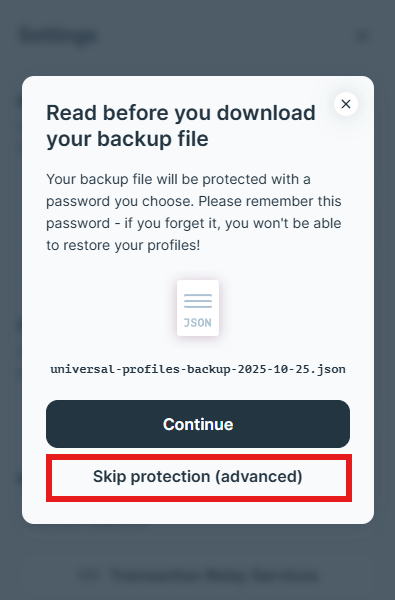
b. Backup without Protection
Alternatively, you can create a backup without password protection (not recommended for security reasons).
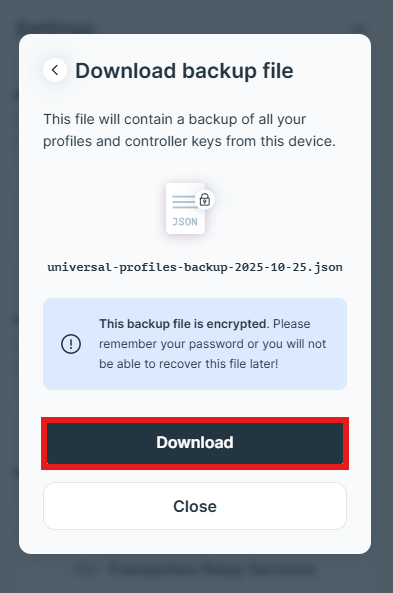
Save your backup file securely. Make sure to remember your password as it will be required for restoring your UPs.
Restoring Backup
Follow these steps to start restoring your UPs using the backup file:
- click the Restore backup option.
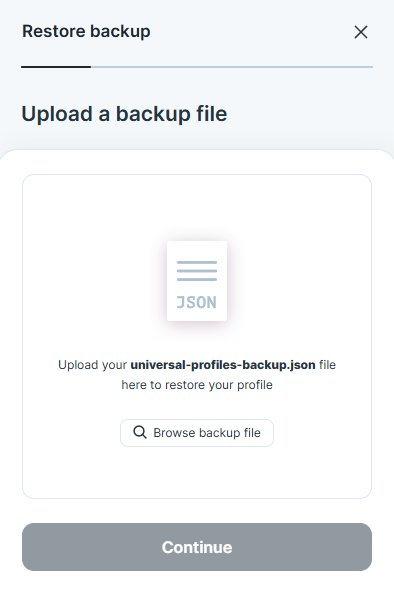
- Select your backup file:
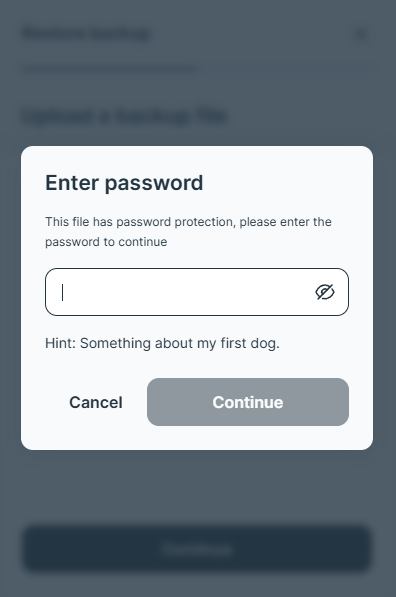
- Enter your password if your backup file is password-protected. The Hint might be helpful!
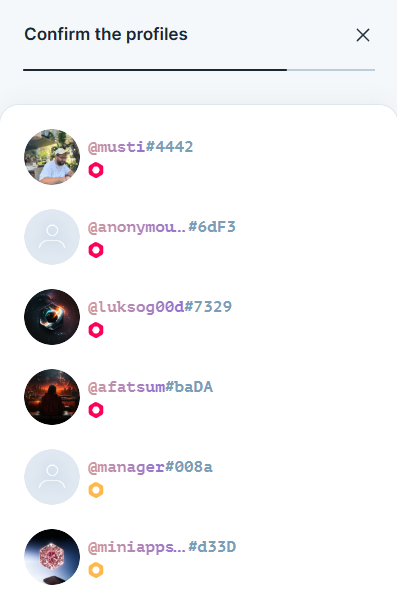
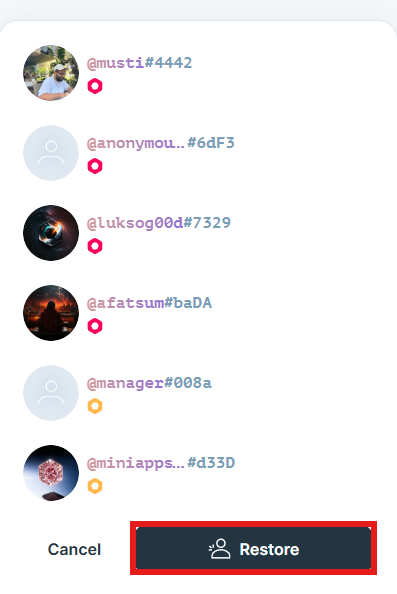
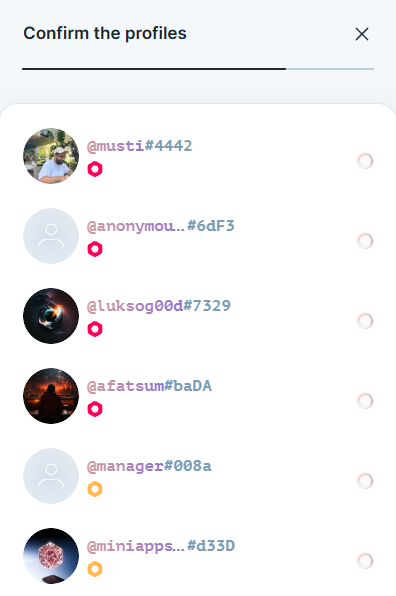
- Confirm the list of UPs you are about to restore and click Restore. Once the process finishes, you'll see a confirmation message.
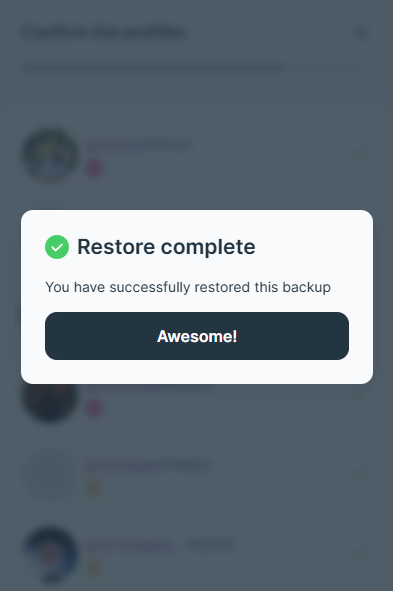
Congratulations, you have just restored all your missing UPs in your Universal Profiles Browser Extension!